From idea to prototype in hours,
with a designer in charge.

Before anyone could approve an idea or check if it was feasible, someone had to spend weeks designing it. With AI connected to Figma, the first design and the prototype now take hours. What makes them good is still a solid design system and a designer’s judgement.

My role
Product Manager & designer
Tools
AI, Figma
Foundation
A solid design system
Example
Txoko Tabulo 2.0
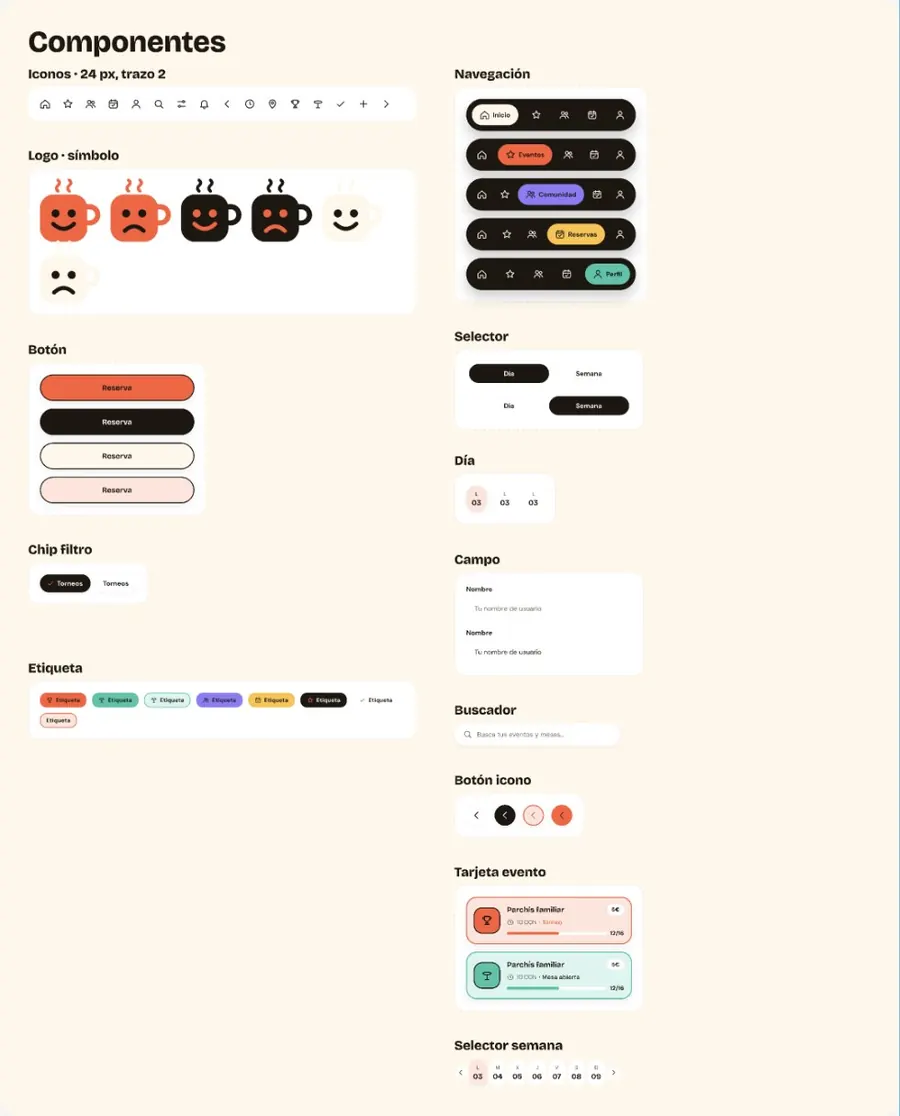
Design systemUI kit: colours, type, components
AI
Screens and prototype, reviewed by a designer
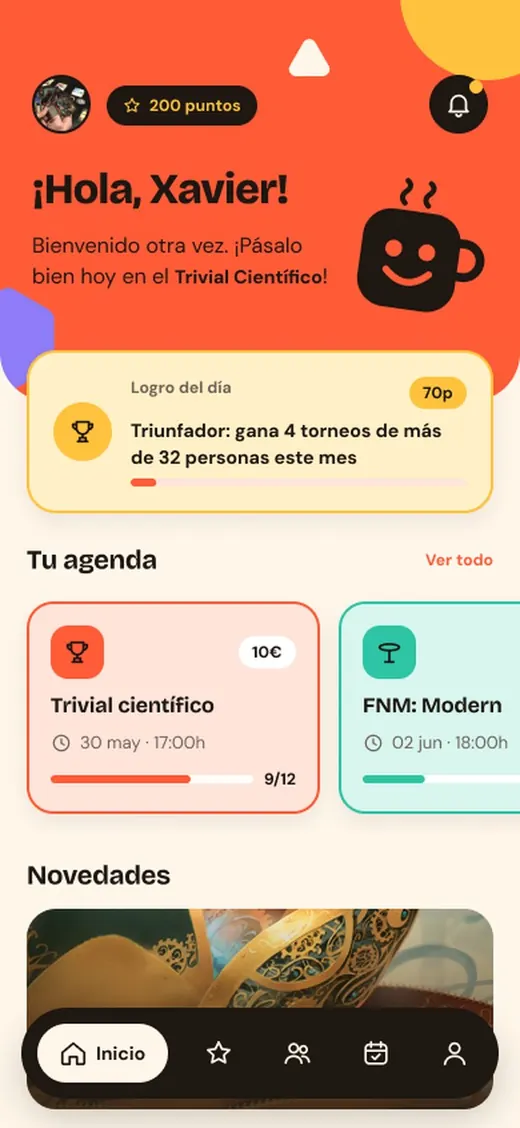
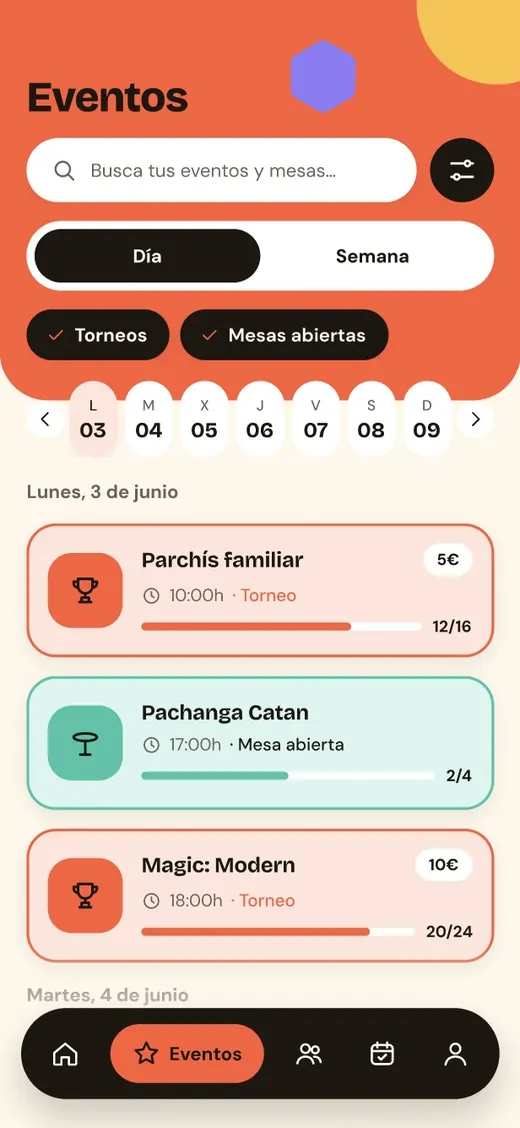
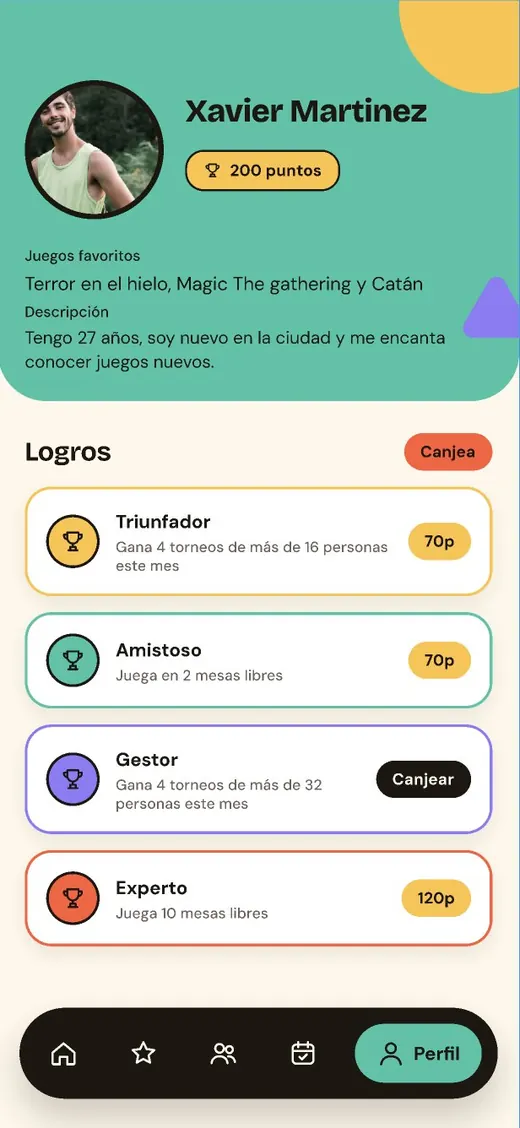
Generated home screenGenerated events screenGenerated profile screen

AI makes the first design fast. A designer makes it right.

01 Where it started

A first clickable design took weeks, so new ideas waited weeks for a yes or a no.

Approvals and feasibility checks had to wait for the design. And once weeks had gone into it, changing direction felt expensive, even when it was the right call.

Weeksto a first clickable design
Lateapprovals and feasibility checks
Costlyto change direction once the design was done

02 What I decided

Speed alone wasn’t the answer. I had to decide what the AI should do, and what still needs a person.

AI is fast, but it has no business context.

A designer always supervises: business fit and the best usability solution.

AI only builds with what it's given.

A solid, versatile design system for the AI to draw from: variables, styles, components.

Hours instead of weeks changes where the value is.

Less time pushing pixels, more weight on the designer's judgement.

03 How it went

The AI designs with what the design system gives it. A weak system means generic screens, so the system came first. Then I split the work: the AI brings speed, the designer brings judgement.

UI kit with colour variables, text styles and components
  • Variables for colour, spacing and radius
  • Text and effect styles
  • Components with variants and properties
  • Clear rules: what each one is for

The more solid and versatile the system, the more consistent and on-brand every generated screen is.

Who does what

AI + FigmaSpeed
  • First design and layout options
  • Screens built from real components
  • Variants, states and copy
  • Prototype wiring, ready to click
Product designerJudgement
  • Business context and goals
  • The best usability solution
  • Reviewing and fixing every screen
  • Keeping the design system solid

04 Before and after

Before
First clickable designWeeks
Approving an ideaAfter weeks of design
Feasibility checkLate, once designs were done
Designer's timeProducing screens
Now
First clickable designHours
Approving an ideaOn a working prototype
Feasibility checkEarly, with the team
Designer's timeJudging, fixing and refining

05 What changed

Hoursnot weeks, to a first prototype
Fasterapproval of new ideas
Earlierfeasibility checks with the team
125screens in ~2.5 h on Txoko 2.0
Ideas decided sooner

People say yes or no to something they can click, not to a description.

Feasibility, early

Development sees a working prototype before anything is committed.

Time for judgement

Less time pushing pixels, more time on business fit and usability.

06 What I learned

System first. Invest in the design system before the prompts. The AI is only as good as what it builds with.

Designer in the loop. Fast output still needs someone who knows the business and the user.

Judgement is the value. AI takes the production time. The decisions are what matter.

Interested?
Let's work together.

Product or design: if you have an idea worth building, I’d love to hear about it.

Follow my latest work on Ig,Be,In.
Drop me a line.

curve arrow of Gus Martinez Portfolio - Creative Graphic Designer and Illustrator